Infinite Scroll vs Pagination: Which UX Pattern Delivers a Better User Experience
UX Design
December 15, 2025
7 mins
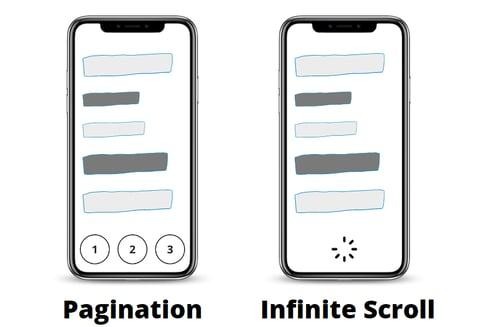
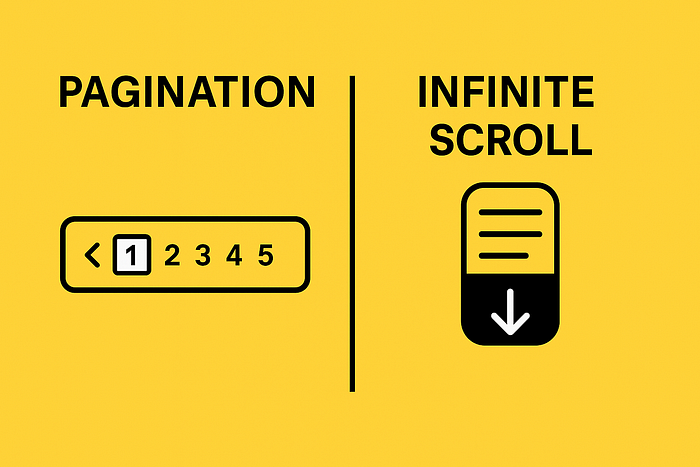
Split-screen thumbnail showing a mobile infinite scroll feed vs pagination interface, with “vs” in the center.

Infinite Scroll vs Pagination: How Each Pattern Shapes User Experience

IMG_256

Image: Source

When designing any content-heavy website like blogs, eCommerce catalogs, social feeds, search results pages, one of the biggest UX decisions you face is choosing infinite scroll or pagination. Both patterns shape how users discover new content, how they navigate your site, and how search engines index your pages. And because today's visitors expect fast loading, effortless navigation, and intuitive user experience, your choice can significantly impact performance, engagement and SEO.

In this in-depth analysis, we explore Infinite Scroll vs Pagination, compare real-world interactions, review UX best practices, and break down the pros and cons of Infinite Scroll vs Pagination to help you determine which one fits your product, audience, and business goals.

Understanding Scroll Behaviors: Infinite Scroll vs Traditional Pagination

Both infinite scroll and pagination determine how new content appears as the user scrolls or clicks. They might seem similar in purpose, but they create profoundly different experiences.

Infinite Scroll and How It Affect Navigation & UX?

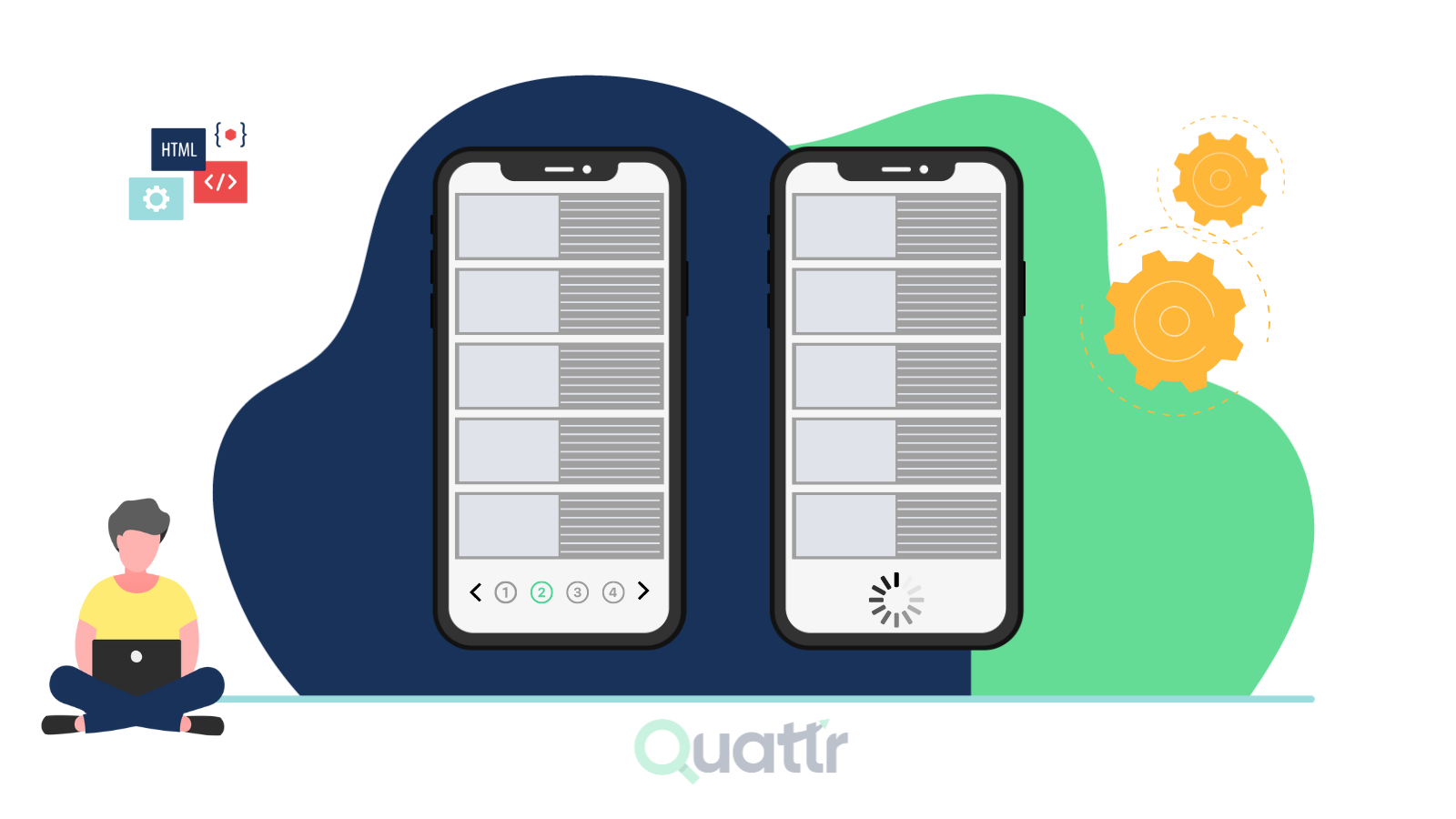
Infinite scroll is a pattern where more items load automatically as the user scrolls down the page. This method is meant to keep people engaged without the interruption of clicking “Next” or waiting for a page reload.

Image: Source

Key characteristics of infinite scroll:

  • Continuous loading of new content
  • No manual steps required for further navigation
  • Smooth, uninterrupted scroll experience
  • Common on social feeds (Twitter/X, Facebook, Instagram, TikTok) and media-heavy sites

From a user experience perspective, infinite scroll works best for platforms where discovery, not precise navigation, is the goal. Users simply scroll and consume.

But this ease can become a problem when:

  • Users need to return to specific items
  • Tasks are goal-oriented (e.g., comparing products in a catalog)
  • Accessibility concerns arise, especially with keyboard navigation or screen readers

Pagination and When Should You Use It?

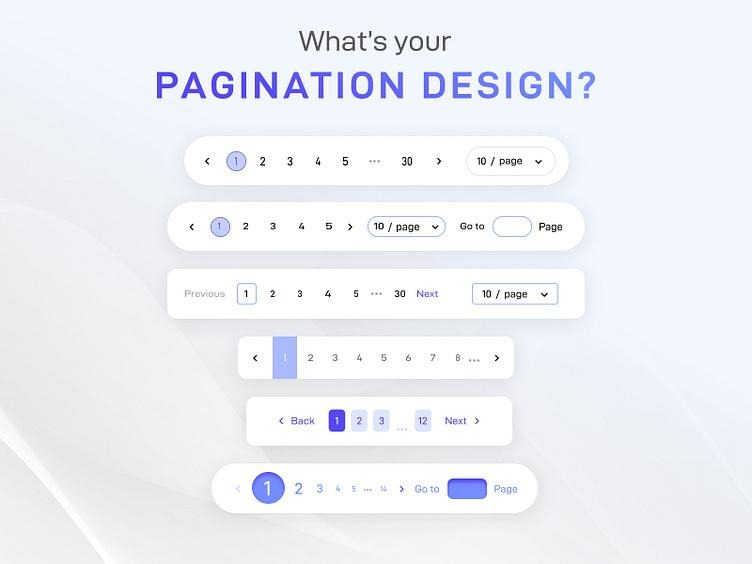
Pagination divides content into numbered pages, requiring users to click to access the next set of results.

IMG_256

Image: Source

Key characteristics of pagination:

  • Clearly defined start, middle, and end
  • Better sense of location within the content
  • Easier for users to go back
  • More structured for search engine crawling

Pagination is ideal for situations where:

  • Users need control
  • Precision in browsing matters
  • You want consistent SEO indexing
  • Users must compare items or revisit previous information

In Pagination vs. Infinite Scroll, pagination provides more structural clarity, making it the better option for eCommerce, documentation, and long lists that require organization.

Infinite Scroll vs Pagination Example: Two User Flows, Two Very Different Experiences

Comparing a simple infinite scroll vs pagination example helps illustrate how each impacts UX.

IMG_256

Image: Source

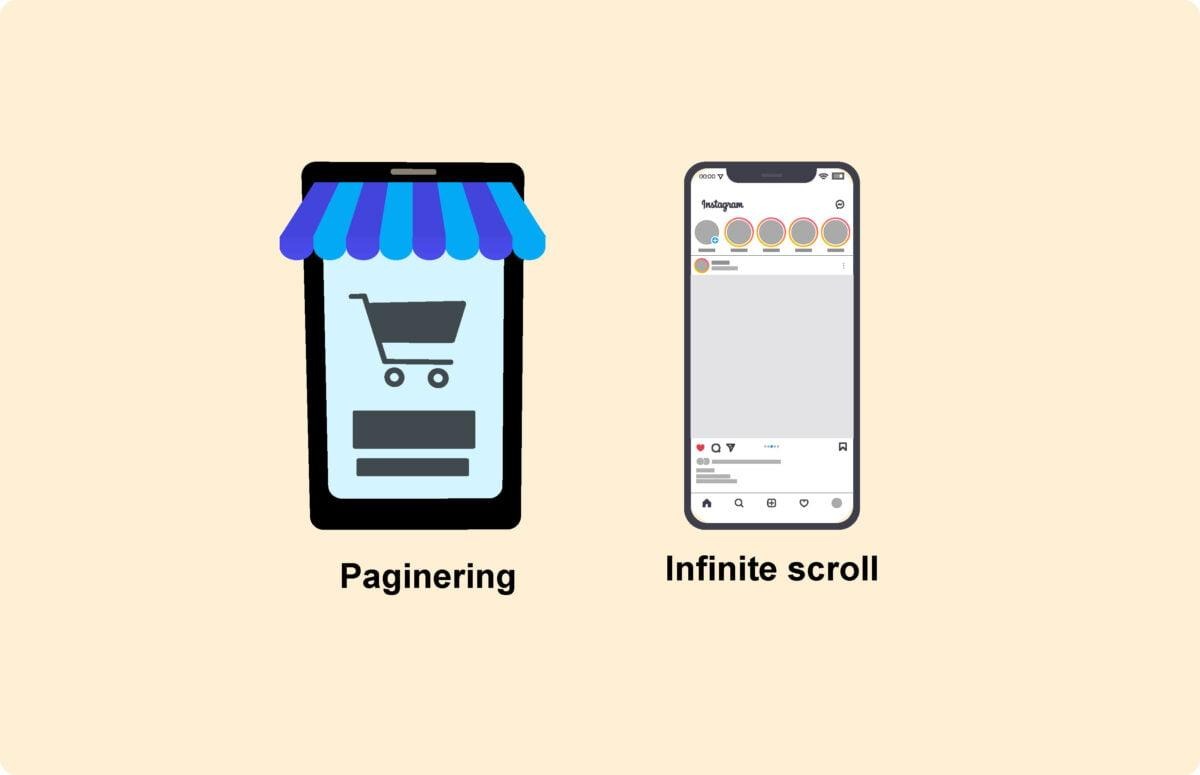
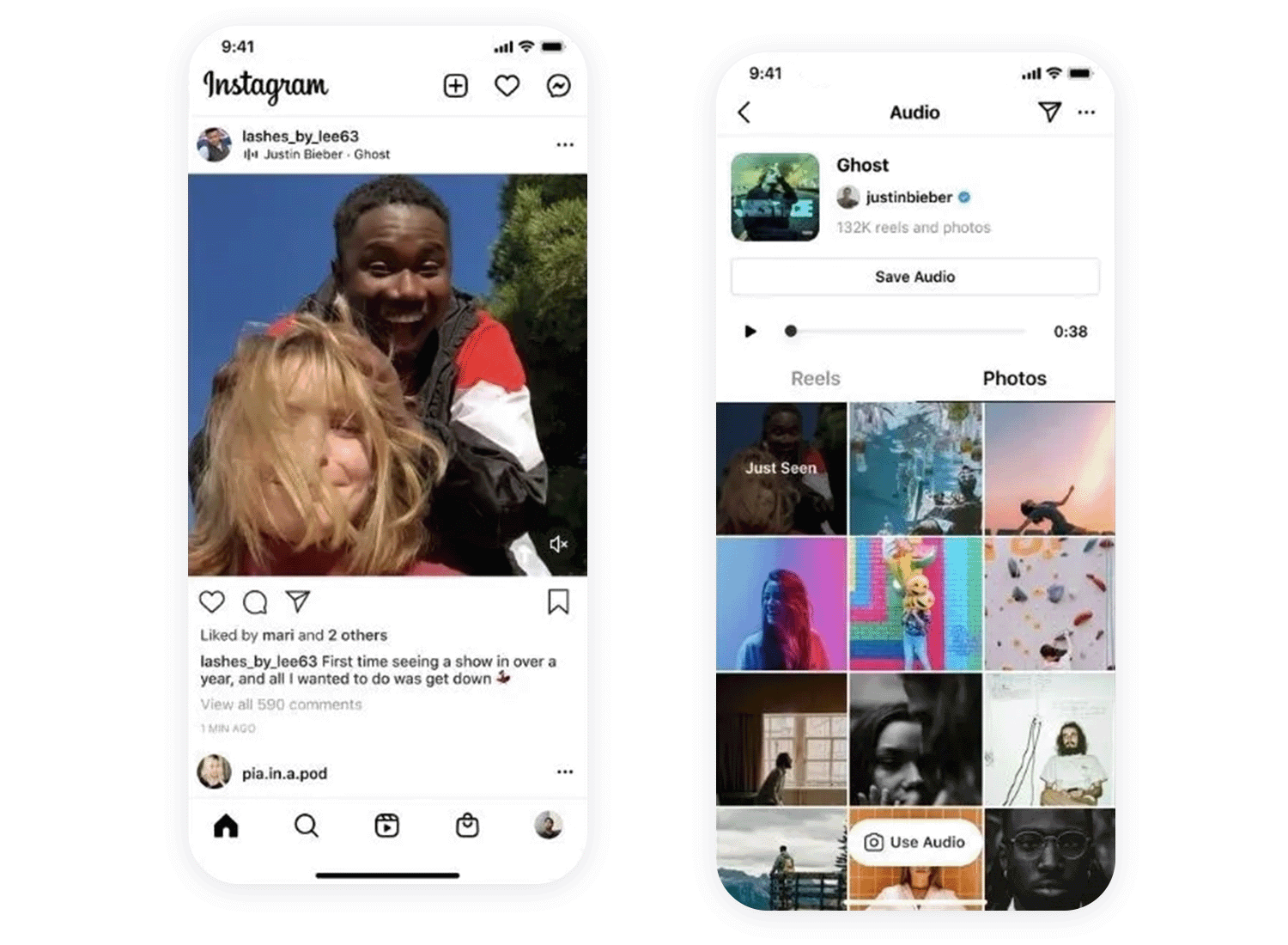
Example 1: Infinite Scroll on a Social Feed

A user opens a photo-sharing platform. As the user scrolls, new content loads seamlessly. There is no need to click, which creates:

  • A rapid flow of visuals
  • High engagement
  • “Just one more” behavior

Great for entertainment, but not for backtracking or saving your place.

Example 2: Pagination on an eCommerce Catalog

A shopper browses shoes on an online store. Pages are separated by product types or page numbers. Clicking through allows:

  • Easy comparison
  • Ability to return to Page 3 anytime
  • Organized navigation

This Pagination vs Infinite Scroll experience is more structured and predictable, which is why most retailers still favor pagination or hybrid patterns.

Infinite Scroll vs Pagination for UX: Which One Really Supports Better User Experience?

From a UX standpoint, the winner depends entirely on the user’s intent.

Infinite Scroll: UX Benefits and Drawbacks

Benefits

  • Highly engaging: Continuous content flow keeps users exploring.
  • Great for mobile: thumb-scrolling feels natural.
  • Low friction: No clicking, no page reload, just scroll and consume.

Drawbacks

  • Lack of content boundaries: Users lose their place easily.
  • Difficult navigation: Returning to an earlier item is frustrating.
  • Accessibility issues: Screen readers, keyboards, and assistive devices struggle with endless content.
  • Unpredictable load time: Heavy pages increase load time and can reduce performance.

Pagination: UX Benefits and Drawbacks

Benefits

  • Clear structure: Users know where they are at all times.
  • Better for goal-driven tasks: Product comparison, research, or browsing a blog archive is easier.
  • Easier accessibility: Keyboard users and screen readers navigate more reliably.
  • Predictable loading: Smaller batches reduce performance problems.

Drawbacks

  • More clicks: Some users prefer more fluid interactions.
  • Can feel outdated: Especially on mobile or social-style interfaces.

In short, if your UX goal is endless discovery, use infinite scroll.

If your goal is organization and precision, pagination wins.

Infinite Scroll vs Pagination for SEO: Which Pattern Ranks Better?

The SEO implications of Infinite Scroll vs Pagination are often overlooked. But they matter a lot.

SEO Challenges with Infinite Scroll

Search engines do not “scroll” like humans. While modern systems attempt to render dynamic content, infinite scroll still creates obstacles:

  • Search engines may not reach all content if it loads dynamically
  • URL structures are often weak or absent
  • Deep content might never be indexed
  • Heavy loading impacts Core Web Vitals
  • Fragmented accessibility affects ranking signals

For SEO, infinite scroll usually requires:

  • API fallback
  • Paginated URLs
  • Manual linking
  • Schema-friendly structure

In short: infinite scroll alone is rarely SEO-friendly.

SEO Strengths of Pagination

Pagination supports SEO naturally because:

  • Each page has a unique URL
  • Clear linking patterns help crawlers
  • Better internal linking
  • Faster initial load per page
  • Stronger alignment with search result behavior

For most search engine optimization scenarios, pagination remains the safer and more indexable pattern.

The Pros and Cons of Infinite Scroll vs Pagination (Complete Breakdown)

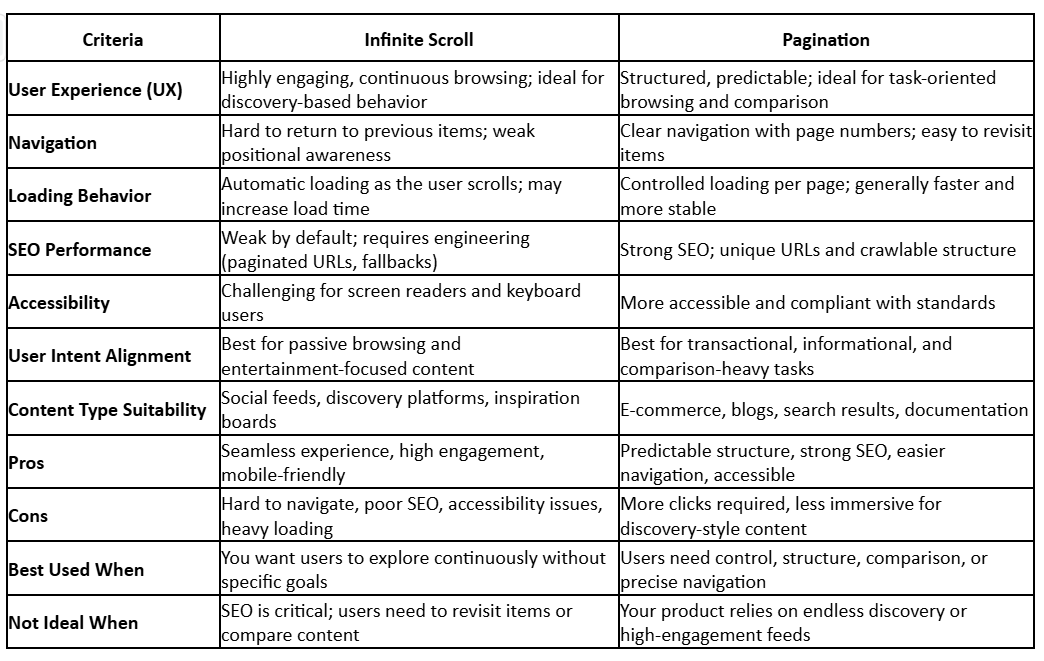
Below is a consolidated list comparing the two approaches.

IMG_256

Image: Source

Pros of Infinite Scroll

  • Engaging for browsing and social content
  • Ideal for mobile-first UX
  • Minimal friction for users
  • Encourages longer time on site
  • Displays large amounts of content quickly

Cons of Infinite Scroll

  • Difficult to navigate backward
  • Weak accessibility
  • Poor SEO unless heavily engineered
  • Infinite loading risks performance slowdowns
  • No sense of control for users

Pros of Pagination

  • Strong SEO with page-level URLs
  • Predictable and easy navigation
  • Supports task-driven browsing
  • Reduces loading strain
  • More accessible for all users

Cons of Pagination

  • Interrupts user flow when browsing casually
  • More clicks required
  • Less immersive experience for discovery-based content

Pagination vs Infinite Scroll Best Practices for Modern UX Design

If you're choosing between pagination vs infinite scroll, consider the following best practices.

Best Practices for Infinite Scroll

  • Show a visible loading indicator so users know new content is arriving.
  • Use URL fragments or pushState to allow users to return where they left off.
  • Provide a “Back to Top” button to improve navigation.
  • Add optional manual load buttons, especially near the end of lists.
  • Ensure accessibility with ARIA live regions and keyboard triggers.

Best Practices for Pagination

  • Keep page numbers clear and visible.
  • Use descriptive labels like “Next Page” or “Previous Page”.
  • Avoid overwhelming users with too many numbered links.
  • Maintain consistent load time across pages.
  • Ensure the search engine can crawl every page.

Infinite Scroll vs Pagination: Which Should You Choose for Your Project?

Your decision depends on your content type, audience, and goals. Here’s a quick decision guide:

IMG_256

Image: Source

Choose Infinite Scroll if:

  • Your content encourages casual browsing (e.g., social feeds, media galleries).
  • User intent is discovery rather than comparison.
  • You can engineer SEO-friendly paginated fallback links.
  • You're prioritizing mobile UX and fast continuous scroll.

Choose Pagination if:

  • Users need to compare items or return to specific results.
  • SEO is a major priority, like in eCommerce or blogs.
  • Accessibility standards matter.
  • You want reliable performance and predictable loading.

Real-World Examples of Infinite Scroll

Instagram

  • The home feed uses infinite scroll so users can continuously discover new content.
  • Designed to maximize engagement—no “next page,” just seamless scroll.
IMG_256

Image: Source

Twitter / X

  • Timeline updates as the user scrolls, with older tweets loading instantly.
  • Prioritizes speed, recency, and engagement.

YouTube 

  • The homepage and recommended videos rely on infinite scroll.
  • Encourages binge behavior and longer viewing sessions.

Pinterest

  • Grid-style infinite scroll surfaces new images continuously.
  • Perfect for inspiration and non-linear browsing.

ASOS

  • Product listing pages use a mixture of infinite scroll + load-more buttons.
  • Users can scroll continuously but still maintain some control.

Real-World Examples of Pagination

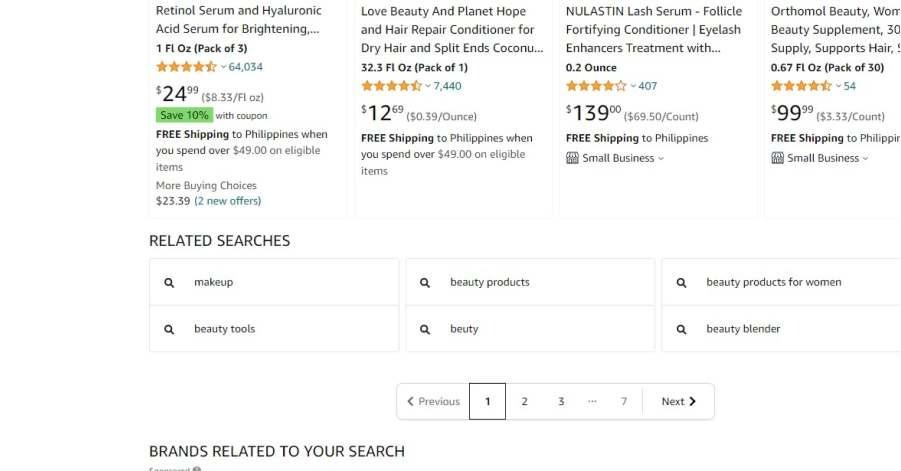
Amazon

  • One of the clearest examples of pagination.
  • Users can browse page by page, compare items, and track their place.
  • Ideal for navigation, SEO, and user control.
IMG_256

Image: Source

Google Search 

  • Historically relied on pagination for page numbers.
  • Even with "More Results" in some regions, page divisions still exist at a structural level.

Image: Source

WordPress Blogs

  • Most archives, categories, and search pages use pagination by default.
  • Supports SEO and organized browsing.

Wikipedia

  • Category and history pages use pagination.
  • Critical for navigating the huge archive.

Coursera / Udemy

  • Course reviews and content lists are paginated for easy reference.

Quick Comparison - Infinite Scroll vs Pagination

There is no universal winner in Infinite Scroll vs Pagination. The true winner depends on user experience, content type, SEO considerations, and the purpose of your site. Infinite scroll feels modern, fluid, and immersive. Pagination feels stable, structured, and reliable.

By understanding the strengths and weaknesses of both patterns and respecting user intent, you can design navigation that truly enhances your platform, improves engagement, and allows users to explore your content in the most intuitive way possible.

Ready to Choose Between Infinite Scroll and Pagination? Let Alien Design Studio Help You Build the Perfect Experience

Your website’s success depends on more than just great content: it relies on smart UX decisions, fast performance, and SEO-friendly structure. Whether you need infinite scroll, pagination, or a hybrid approach, Alien Design Agency can help you design, build, and optimize an interface that truly connects with your users.

Want expert guidance? Visit Alien Design Studio a Leading Global UX Design Agency to transform your digital experience with stunning UI/UX and future-ready design solutions.

Currently documenting the journey of building a Product | Co-founder at Alien. I am passionate about the creative field, which led me to initiate my journey into business with a focus on digital products. Beyond my professional pursuits, I find solace in traveling and taking breaks from city life, often indulging in trekking adventures.

Subscribe for Industry insights

Get cutting-edge design insights + Free pro
resources just for subscribing!

Thank you! Your submission has been received!
Oops! Something went wrong while submitting the form.

FAQ